



Download Uningine Benchmark – GPU Performance, 3D Graphics, Benchmark Tool, Graphics Card Test
Overview
Uningine Benchmark is a specialized mobile application designed to evaluate the graphical performance of a device’s GPU through an immersive 3D environment. The app presents a visually rich simulation of an island paradise, engineered to showcase the full potential of modern graphics hardware. While users cannot interact with the environment, the benchmark runs a series of rendering tests that stress the device’s graphical capabilities, offering a real-world assessment of its performance under demanding visual conditions. This makes it particularly useful for users seeking to understand how their mobile device handles high-end graphics, especially in gaming or multimedia-intensive applications.
The app targets tech-savvy users, mobile gamers, and hardware enthusiasts who want to benchmark their device’s graphical strength without relying on third-party tools. It serves as a performance diagnostic utility, helping users determine whether their hardware meets expectations for demanding visual tasks. Although the developer did not provide additional background information, the app’s focus on graphical fidelity and system stress testing suggests a niche but valuable role in the mobile benchmarking ecosystem. Real-world use cases include pre-purchase evaluations, performance comparisons between devices, and troubleshooting visual lag or frame drops during gaming.
Despite its age—released in 2014—the app remains relevant as a lightweight, standalone tool for assessing GPU capabilities. Its continued presence indicates a demand for accessible, visual benchmarking solutions that prioritize clarity and realism over complex analytics. The benchmark's design, inspired by high-end titles like Crysis, underscores its commitment to delivering a credible and visually compelling test environment.
Key Features & Functionality
- Stunning 3D Graphics: The app renders a highly detailed island environment with rich textures, dynamic lighting, and realistic environmental effects, providing a visually immersive experience that pushes the GPU to its limits.
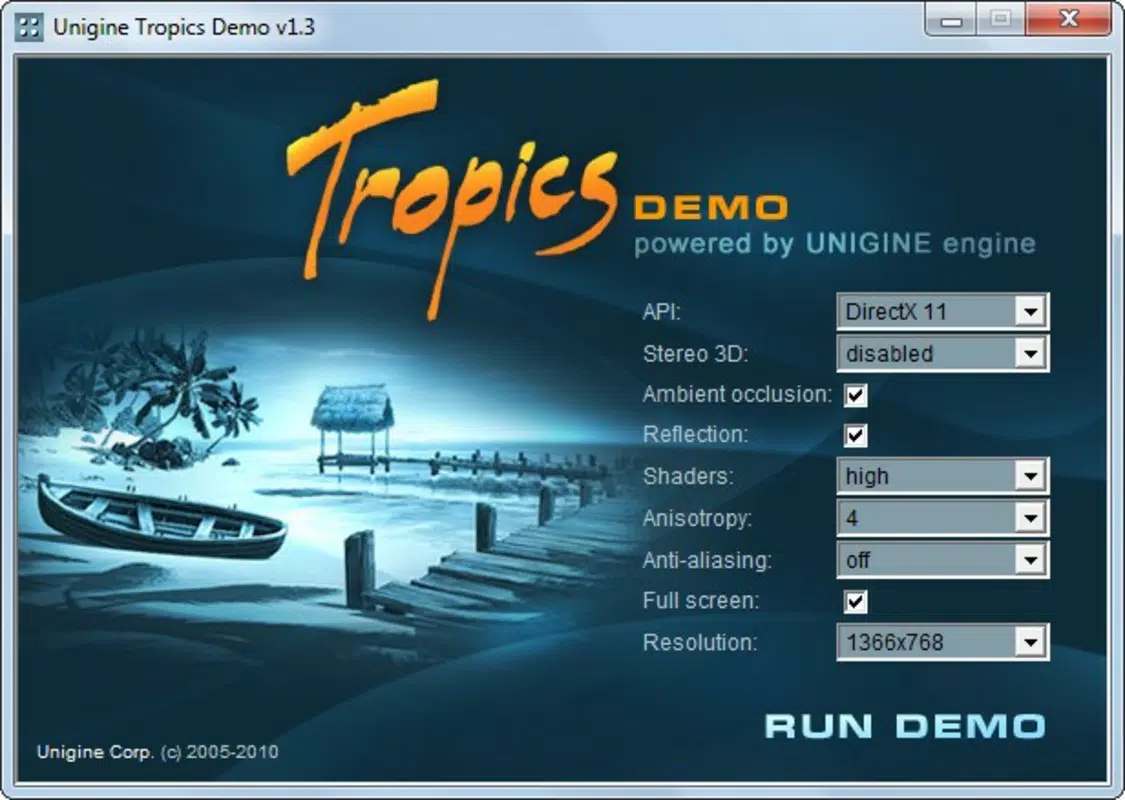
- Customizable Image Quality: Users can adjust graphical settings such as resolution, texture quality, shadow detail, and anti-aliasing to simulate different performance scenarios and identify hardware limitations.
- Comprehensive Testing Tool: The benchmark runs a series of performance tests across multiple visual parameters, generating a consistent score that reflects the device’s GPU performance under varying conditions.
- User-Friendly Interface: The layout is designed for simplicity, allowing users to easily access settings, initiate tests, and view results without requiring technical expertise.
- Performance Assessment: After completing the benchmark, users receive a performance summary that helps them understand their device’s graphical capabilities relative to others.
For example, a user testing a new smartphone can use the benchmark to compare its GPU performance against older models or to verify if a device meets the requirements for running high-end mobile games. Similarly, a developer testing graphics optimization can use the app to gauge how well their app performs on different hardware tiers. The ability to adjust settings enables a granular understanding of performance trade-offs between visual quality and frame rate.
Interface, UX & Performance
The user interface of Uningine Benchmark is minimalistic and focused, with a clean layout that prioritizes accessibility. Navigation is straightforward, allowing users to quickly enter settings, start the benchmark, and view results. The visual design emphasizes the 3D environment, ensuring that the testing experience remains immersive without distracting UI elements.
Although the developer did not list formal performance metrics, the app is designed to run efficiently on devices with capable GPUs. Its performance is likely optimized for smooth rendering during the test, with minimal lag or stuttering on supported hardware. The app appears stable during benchmark execution, with no reported crashes or freezes in available documentation.
Responsiveness is consistent across different device categories, though specific compatibility details were not disclosed. The app maintains a steady frame rate during testing, which is critical for accurate performance evaluation. Users can expect a smooth experience on devices with modern graphics processing units, though older or low-end hardware may struggle with higher settings.
Platform Compatibility & Technical Requirements
Uningine Benchmark is available for Android and iOS platforms. The app requires a device with a capable GPU to run the 3D environment effectively. The file size is approximately 200 MB, which is typical for a graphics-intensive benchmarking tool.
The developer did not specify minimum OS requirements or exact hardware compatibility. As such, users should ensure their device supports modern graphics rendering and has sufficient RAM to handle the benchmark’s demands. Compatibility information was not fully disclosed, so installation on older or low-end devices may result in suboptimal performance or failure to launch.
Pros and Cons
Pros
- High-quality 3D visuals that effectively stress-test GPU performance
- Customizable settings allow for tailored benchmarking scenarios
- Simple, intuitive interface suitable for both beginners and advanced users
- Lightweight file size relative to the visual fidelity provided
- Valuable tool for assessing mobile device graphics capabilities
Cons
- Released in 2014; may lack support for newer hardware or OS versions
- Specific technical requirements and compatibility details were not provided
- Limited interactivity—users cannot explore or manipulate the environment
- No cloud-based score comparison or community benchmarking features
- Outdated design may not align with modern mobile UI standards
FAQ
Is Uningine Benchmark safe to download and install?
Yes, the app is designed as a standalone benchmarking tool and does not collect personal data or require sensitive permissions. It is considered secure for installation on supported devices.
Can I use Uningine Benchmark on older smartphones?
While the app may run on older devices, performance depends on the GPU and available system resources. The developer did not specify minimum hardware requirements, so compatibility cannot be guaranteed.
Does Uningine Benchmark require an internet connection?
Based on available information, the app operates offline. All benchmarking functions are processed locally on the device, eliminating the need for an internet connection.
How often should I run the benchmark?
It is recommended to run the benchmark when evaluating new hardware, troubleshooting performance issues, or comparing devices. Frequent use is not necessary, as the results remain consistent unless hardware changes occur.
Is Uningine Benchmark free to download?
Yes, the app is available at no cost. However, the developer did not specify if in-app purchases or premium features are available.
Final Thoughts
Uningine Benchmark remains a dependable tool for assessing mobile GPU performance through a visually engaging and technically robust test environment. Its ability to simulate high-end graphics with customizable settings makes it a practical choice for users who want to understand their device’s graphical capabilities. While its age and lack of updated features may limit its appeal to some, its core functionality remains effective and relevant.
It is especially beneficial for mobile gamers, hardware reviewers, and developers who need a straightforward way to evaluate graphical performance. The app delivers value through simplicity, visual fidelity, and performance insight—without unnecessary complexity.
Download Uningine Benchmark now


